


Robots.txt is a simple yet powerful text file that plays a crucial role in search engine optimization (SEO). It serves as a communication tool between website owners and search engine crawlers, guiding them on which pages to crawl and index. Understanding how to effectively use robots.txt is essential for optimizing a website’s visibility and performance in search engine results especially for large websites.
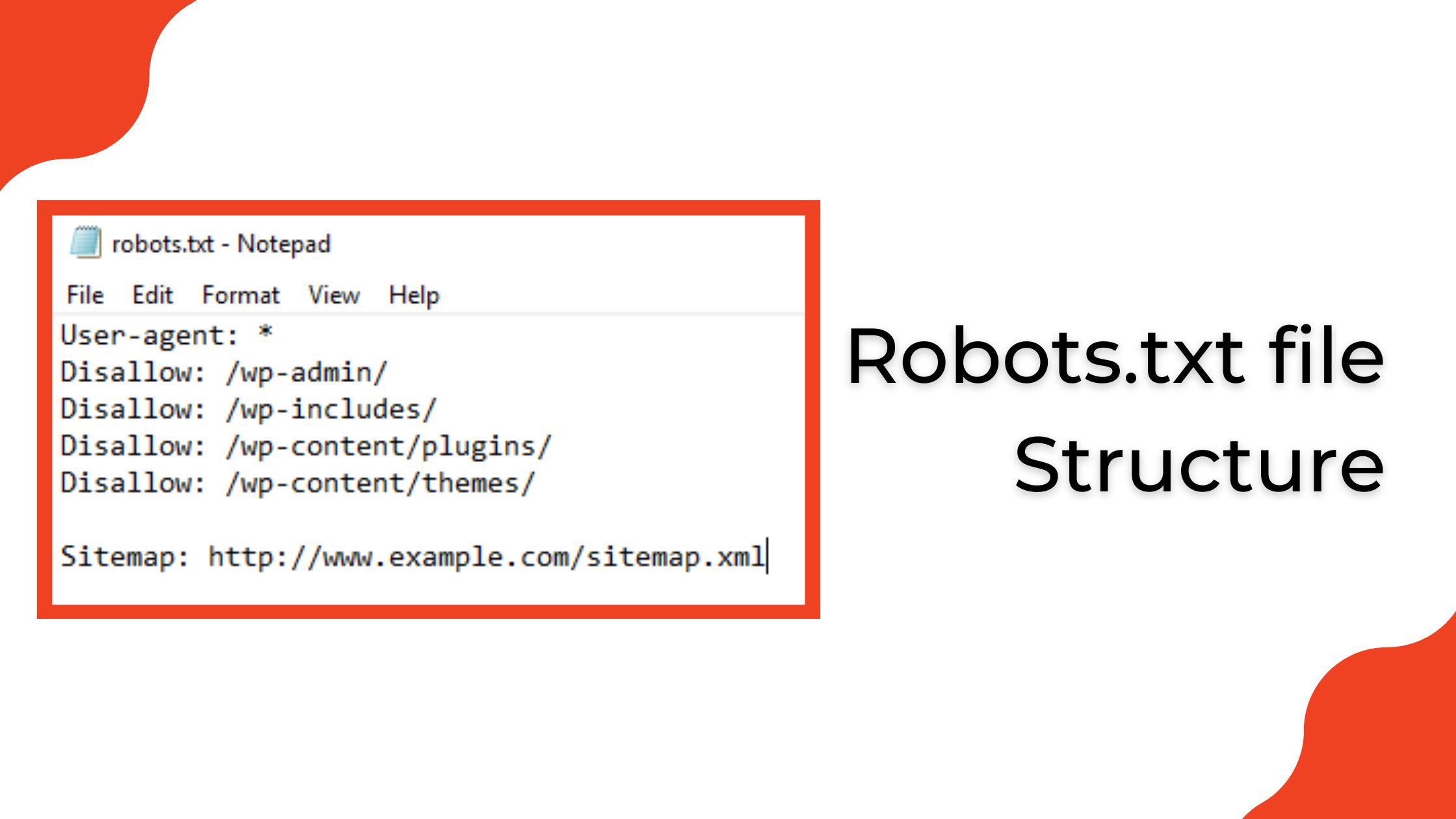
What is Robots.txt?
Robots.txt is a plain text file located in the root directory of a website that instructs search engine crawlers on how to interact with the site’s content. When a crawler visits a website, it first checks the robots.txt file to determine which pages it is allowed to access. This file helps search engines understand the structure of a website and prioritize which pages to crawl.
In simple terms, think of it like a map legend that crawlers like Google or Bing use to tell them where they can and cannot crawl.
How Robots.txt Works
Robots.txt files are read by search engine crawlers when they visit a website. The crawlers look for the robots.txt file in the root directory and follow the directives specified within it. If a page is disallowed, the crawler will not crawl it, but a Disallow rule does not guarantee the page stays out of the index. A disallowed URL can still be indexed without its content if other sites link to it. To keep a page out of the index reliably, use a noindex directive instead. Understanding this mechanism is crucial for webmasters to ensure that important content is not inadvertently blocked.
Purpose of a Robots.txt File
The robots.txt file tells crawlers which pages they are allowed to index and which they should ignore. This can be useful if there are certain pages on your website that you do not want to be indexed, such as those containing sensitive information. Additionally, the robots.txt file can help manage server load by telling robots when they should visit your website and how often they should crawl it. For smaller sites, this is rarely a problem, but on larger sites, managing crawl frequency can be very important for SEO.
Importance of Robots.txt in SEO
Crawling Control
Robots.txt is vital for managing which pages search engines can crawl. By specifying directives in the file, webmasters can prevent crawlers from accessing certain sections of their site. According to a study by Moz, 70% of SEO professionals consider robots.txt a crucial part of their SEO strategy. This control is particularly important for large websites with numerous pages, where not all content may be relevant for indexing.
Preventing Duplicate Content
Duplicate content can harm a website’s SEO performance by diluting its authority and causing confusion for search engines. Robots.txt can help mitigate this issue by blocking crawlers from indexing duplicate pages. For example, an e-commerce site with multiple URLs for the same product can use robots.txt to prevent search engines from indexing unnecessary variations, thus preserving the integrity of its content.
Resource Management
Managing server load is another critical function of robots.txt. By restricting access to heavy resources, such as images or scripts, webmasters can ensure that their servers are not overwhelmed by crawler requests. Googlebot, for instance, can make up to 100 requests per second, which can strain server resources if not managed properly.
How Robots.txt Affects Search Engine Crawling
Crawl Budget
Crawl budget refers to the number of pages a search engine will crawl on a website within a given timeframe. Understanding and optimizing crawl budget is significant for SEO, as it determines how effectively search engines can index a site. Google allocates a specific crawl budget to each site based on its authority and size, making it essential to use robots.txt wisely to prioritize important pages.
Impact on Indexing
Improper use of robots.txt can lead to critical pages being excluded from search results. For instance, a well-known website once experienced a significant drop in rankings due to a misconfigured robots.txt file that inadvertently blocked access to essential content. This case highlights the importance of careful configuration and monitoring of the robots.txt file.
robots.txt and AI Crawlers
The newest and fastest-moving use of robots.txt has nothing to do with Google rankings. It is about controlling whether AI companies can use your content to train their models. Crawlers such as GPTBot (OpenAI), ClaudeBot (Anthropic), PerplexityBot, Google-Extended, and CCBot (Common Crawl) all honour robots.txt, which means the same file now decides two very different things: how traditional search engines crawl you, and whether AI systems may ingest your content.
- GPTBot collects content used to train OpenAI models. Blocking it opts your site out of that training data.
- Google-Extended controls whether your content feeds Google’s Gemini and other AI products. Blocking it does not affect your normal Google Search rankings.
- ClaudeBot and PerplexityBot are used by Anthropic and Perplexity respectively. Blocking them keeps your content out of those systems.
- CCBot feeds Common Crawl, a public dataset many AI models are trained on.
Blocking an AI crawler is as simple as adding a User-agent block for it. For example, to opt out of OpenAI training while leaving normal search crawling untouched:
User-agent: GPTBot
Disallow: /

User-agent: Google-Extended
Disallow: /
There is a trade-off worth naming. Blocking AI crawlers protects your content from being used to train models, but it can also reduce the chance of your pages being cited or surfaced in AI answers. There is no single right answer; the decision depends on whether you value training opt-out more than AI visibility.
Disallow vs Noindex: the difference that costs rankings
These two are constantly confused, and getting them backwards is one of the most damaging robots.txt mistakes. They do not do the same thing.
- Disallow blocks a crawler from crawling a URL. The crawler never reads the page, so it can never see a noindex tag on it. The URL can still appear in search results, sometimes with a description pulled from other sources.
- Noindex allows a crawler to read the page but tells it not to index it. This is the reliable way to remove a page from search results. It is set with a meta robots tag or an X-Robots-Tag HTTP header, not in robots.txt.
The trap is combining the two. If you Disallow a page and also place a noindex tag on it, the crawler is blocked before it can ever read the noindex, so the page can stay indexed. If your goal is removal from search, use noindex on its own and let the crawler reach the page. If your goal is purely to save crawl budget on a section you never want indexed, Disallow alone is fine.
Best Practices for Implementing Robots.txt
Creating a Robots.txt File
Creating a robots.txt file is straightforward. It should be placed in the root directory of your website (e.g., www.example.com/robots.txt). Tools like Google Search Console can help test and validate the file to ensure it functions as intended.
Example of a Robots.txt File
Here’s a simple example of a robots.txt file:
User-agent: *
Disallow: /private/
Disallow: /temp/
Allow: /public/
Sitemap: https://www.example.com/sitemap.xml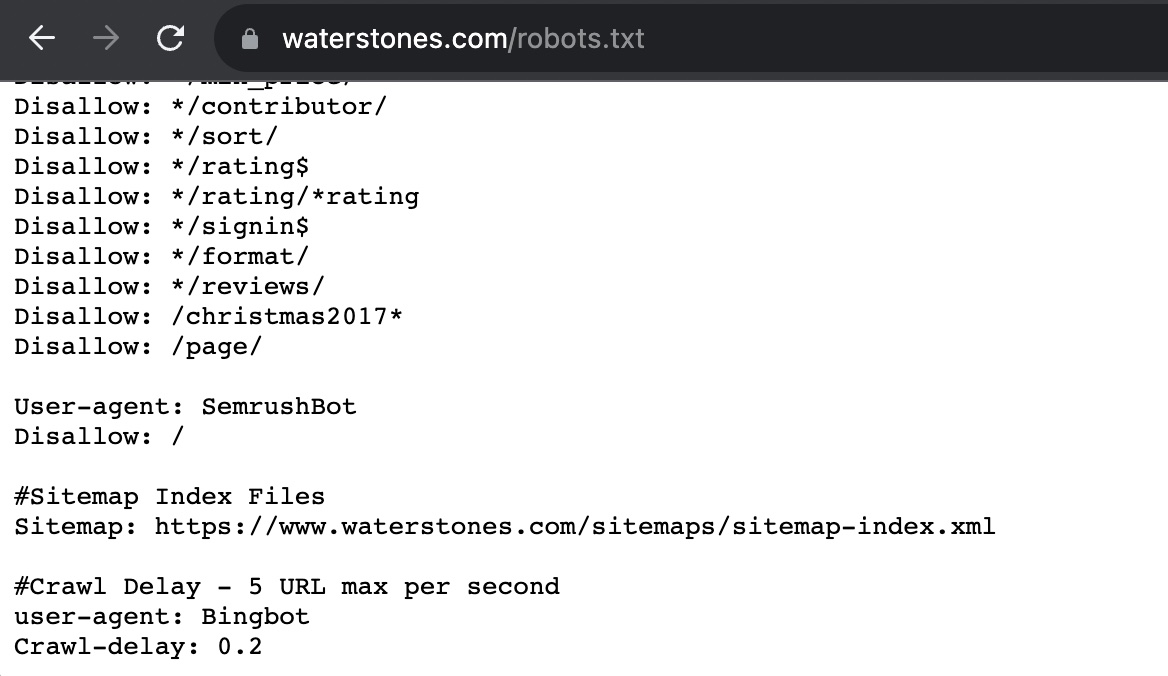
In this example:
- User-agent: * applies the rules to all crawlers.
- Disallow: /private/ prevents crawlers from accessing the private directory.
- Disallow: /temp/ blocks access to temporary files.
- Allow: /public/ permits access to the public directory.
- Sitemap: provides the location of the sitemap, which helps search engines find all the pages on the site.
Tips on Common Directives
- User-agent: Specify the crawler you want to target. Use
*for all crawlers or specify individual ones likeGooglebotfor Google. - Disallow: Use this directive to block specific pages or directories. Be precise to avoid accidentally blocking important content.
- Allow: This directive can be used to override a disallow rule. For example, if you disallow a directory but want to allow a specific file within it, you can specify that file with an Allow directive.
- Sitemap: Always include a sitemap directive to help search engines discover all your pages efficiently.
Testing and Validating Robots.txt
To ensure that your robots.txt file is functioning correctly, it is essential to test and validate it. Tools like Google Search Console provide a robots.txt Tester that allows webmasters to check if their directives are correctly implemented. This tool can help identify any errors or misconfigurations that could affect crawling and indexing.
Advanced Robots.txt Techniques
For more experienced webmasters, advanced techniques can be employed in the robots.txt file. This includes:
- Using Wildcards: Wildcards can be used to block or allow multiple pages with similar patterns. For example,
Disallow: /*.pdf$would block all PDF files. - Specifying Crawl Delay: The
Crawl-delay: 10directive asks a crawler to wait 10 seconds between requests. Googlebot ignores Crawl-delay entirely; it is mainly Bing and some other crawlers that honour it. To slow Googlebot down, set the crawl rate in Google Search Console instead. - Blocking Specific User-Agents: You can create rules for specific crawlers by naming them in the User-agent directive, allowing for tailored access control.
Using Plugins for Easy Management
For WordPress users, managing the robots.txt file can be made easier with plugins. The WP Robots TXT plugin adds a simple additional field to the “Reading” admin page, allowing you to edit your robots.txt without using FTP. Popular SEO plugins like Yoast, Rank Math, Smart Crawl, and All in One SEO (AIO) also include this functionality, making it convenient for users to manage their robots.txt settings directly from the WordPress dashboard.
Regular Updates and Monitoring
Regularly reviewing and updating the robots.txt file is crucial for maintaining optimal SEO performance. Monitoring tools can help assess the impact of robots.txt on crawling and indexing, ensuring that important content remains accessible.
What happens if robots.txt is missing or broken
robots.txt is a voluntary convention, not a security control, and crawlers handle its absence in a very forgiving way that surprises people.
- Missing file (404): crawlers treat the whole site as open and crawl everything. A 404 is not an error here; it simply means no rules.
- Server error (5xx): this is treated very differently. If Googlebot gets a server error when fetching robots.txt, it may pause crawling the site entirely rather than risk crawling content you meant to block. A broken robots.txt serving 500s can quietly stall your entire site.
- Syntax errors: crawlers ignore lines they cannot parse and continue with the rest, so a single bad rule rarely breaks the file, but it can silently fail to do what you intended.
The practical rule is to treat robots.txt like any other critical file: monitor it, validate it after every change, and make sure it always returns a clean 200 with parseable rules.
Common Mistakes to Avoid
Blocking Important Pages
One of the most common mistakes is inadvertently blocking essential pages from being crawled. This can lead to significant drops in organic traffic and visibility. Webmasters should regularly audit their robots.txt files to ensure that critical content is not being restricted.
Overly Restrictive Rules
Being too restrictive with crawling permissions can hinder a website’s SEO efforts. While it is important to manage crawler access, overly restrictive rules can prevent search engines from indexing valuable content, ultimately impacting search rankings.
Issues with Wildcard Handling
There are three major types of issues that can affect SEO with robots.txt files:
- Wildcard handling isn’t always perfect, leading to unintended blocks or conflicts due to changes made by developers.
- The inclusion of non-standard directives can confuse crawlers and lead to errors in processing information.
- Repetitive harmless mistakes can become problematic over time.
Cloudflare Settings
While not strictly robots.txt related, WAF setting in your CDN or if you proxy through cloudflare can block user agents like a robots.txt would. Cloudflare’s Bot Fight Mode and more recently it’s AI Bot Blocking settings can accidentally block legitimate crawlers like Googlebot. Since this is a simple toggle setting it can easily be missed or set incorrectly, yet the outcome can be disastrous with some enquiries citing deindexed pages and lost traffic as a result.
Conclusion
In summary, robots.txt is a vital component of SEO that helps manage how search engines interact with a website. By understanding its role and implementing best practices, webmasters can optimize their sites for better visibility and performance in search results. Regular monitoring and updates to the robots.txt file are essential for ensuring that important content remains accessible to search engines and user agent management can reduce load on your website.